Most legacy system retirement projects start with one person. Usually it’s an IT leader reviewing annual licensing fees, maintenance contracts, and infrastructure costs for a system that is rarely used anymore.
That person can start the project. They rarely finish it alone. Retiring a legacy system involves more than shutting down technology. Your operations team may still need access to historical records and reports, compliance teams must ensure records remain accessible, and financial leaders need to understand the costs and potential savings.
Bringing the right stakeholders together early helps identify risks, establish requirements, and avoid costly surprises later in the project. When one of those people joins late, the project tends to reopen right when it looked ready to close.
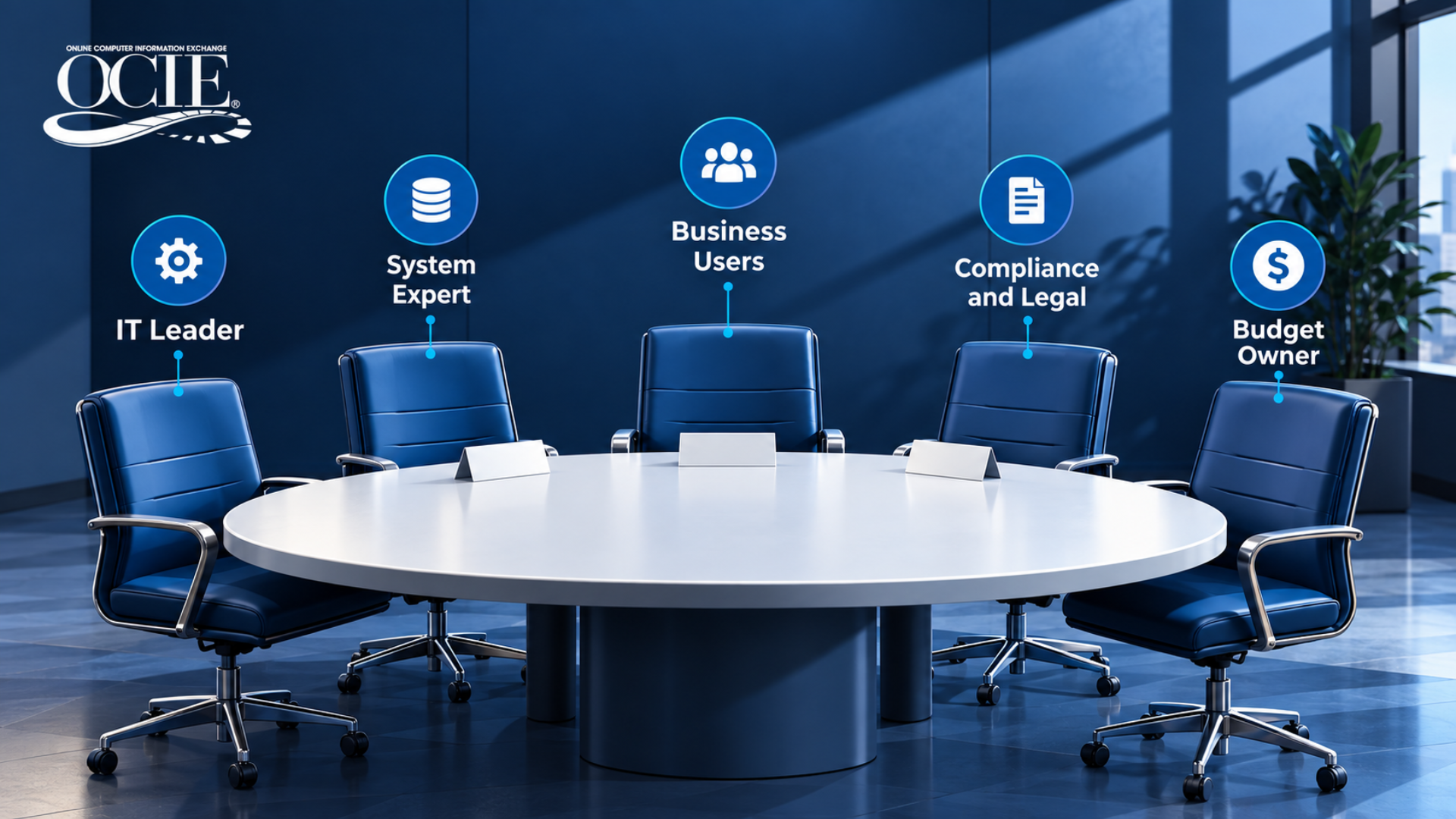
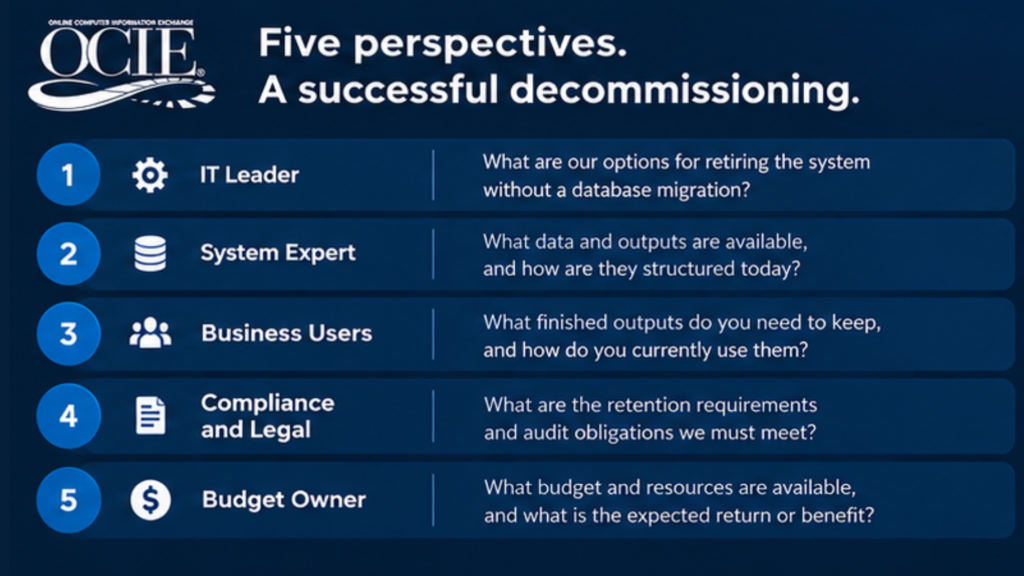
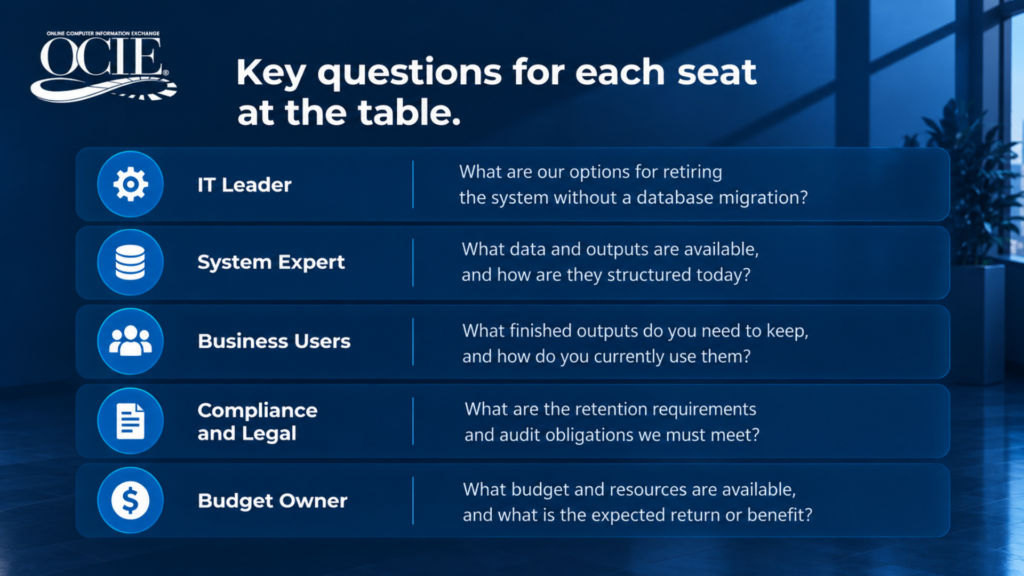
Five key roles belong at the table for the first meeting. Each brings something the others don’t have and can answer critical questions before the work begins.
1. The IT Leader Who Owns the Retirement Project
The title varies: IT director, application manager, or system owner. Regardless of title, this person understands the technical landscape and carries the cost of maintaining the old system. The IT leader is the anchor stakeholder for a legacy system retirement project.
They bring the inventory: every system scheduled for retirement, what runs on each one, what it feeds, and when vendor support ends. As we covered in our post on how to decommission a legacy system without data migration, this inventory sets the scope for everything that follows.
Ask the IT leader: What does it look like to retire our system, and how will it affect the output that our team still uses?
2. The System Expert Who Knows How the Old System Works
Every organization has that one person who knows the legacy system better than anyone else. It may be a longtime developer, system administrator, or technical specialist who has spent years keeping the system running. They get the call when the system acts up.
Their knowledge extends beyond what is formally documented. They understand hidden dependencies, unusual processes, custom configurations, and potential issues that can arise during retirement.
Getting them into the first meeting helps identify potential obstacles, reduce unexpected disruptions, and ensures that critical knowledge isn’t lost.
Ask the person who still knows how the old system works: What potential issues should we understand before retiring this system?
3. The Business Users Who Require Access to Historical Reports and Records
Business users understand how historical information supports daily operations. They know which reports and records are frequently referenced, how employees search for it, and what must remain accessible after the original system is retired.
This information shapes the day-to-day experience of any legacy system retirement project. Whether users search by loan number, account, date range, or department, this information determines how the archive should be indexed. By preserving familiar ways of locating information, a nine-year-old record opens in seconds and eliminates the need to open a ticket for assistance with IT.
For example, when the Naval Sea Systems Command retired three travel systems, the user community needed fast answers to the complex queries Navy Command asked for. Those questions shaped the DataDigger models OCIE built for them. You can read how it came together in the NAVSEA case study.
Ask the people who access historical records: When you look something up in the old system today, what do you type in first?
4. The Compliance, Legal, and Records Management Team
Teams often bring in compliance, legal, and records management leaders last. The seat belongs to your compliance officer, general counsel, records manager, or HIPAA privacy officer. Their job is to establish which records must be preserved, how long they must remain available, who should have access, and what controls are necessary to meet applicable requirements.
For example, federal regulations under 36 CFR 1236.14 address the need to protect records when their retention period extends beyond the life of the system storing it. Regulated businesses answer to their own versions through HIPAA, SOC reporting, investor requirements, and litigation holds.
When this group sees the plan after it is set, they ask about retention length, access rights, whether records can be edited, and whether any open legal hold applies. Those are fair questions. Asked on day one, they become the requirements list.
OCIE’s regulatory compliance solution is built around the answers, including read-only storage, permission controls, and a full audit trail.
Ask the compliance, legal, and records management leader: What information should be preserved and is any of it under a legal hold?
5. The Person Who Approves the Budget
This is typically the CFO, COO, or executive sponsor. They evaluate whether retiring the legacy system makes financial sense.
The true cost of maintaining an aging system is often spread across multiple departments and budgets and not always obvious. To get this stakeholder behind the legacy system retirement project, give them the full annual cost of keeping the old system running for lookups alone: licensing, hardware or hosting, support contracts, and the salary of the one person who still understands it. Those costs usually sit in different budget lines, so add them up before the meeting.
Predictable long-term pricing also matters. OCIE offers consistent monthly costs throughout the contract term. Understanding the ongoing cost of an archival solution helps financial decision-makers evaluate the return on investment and make informed decisions about retiring legacy technology. Learn more about our IMS Solutions to see how pricing works.
Ask the person who approves the budget: What would you need to see to approve this in the next budget cycle?
When an Outside Partner Is Running the Modernization
Plenty of legacy system retirements happen inside a bigger project. A prime contractor delivering a government modernization contract, or a consulting firm leading a platform migration, may own the timeline. If that is your situation, their project lead sits next to your IT leader.
Legacy data is often the piece of those contracts that gets handled last. It’s important that you let the partner know early how historical records will be handled. This detail affects their schedule and their reputation with you.
Mergers raise a related question. When two organizations combine, settle who owns the acquired company’s old systems before anyone schedules a shutdown.
How to Run the Kickoff Meeting for a Legacy System Retirement Project
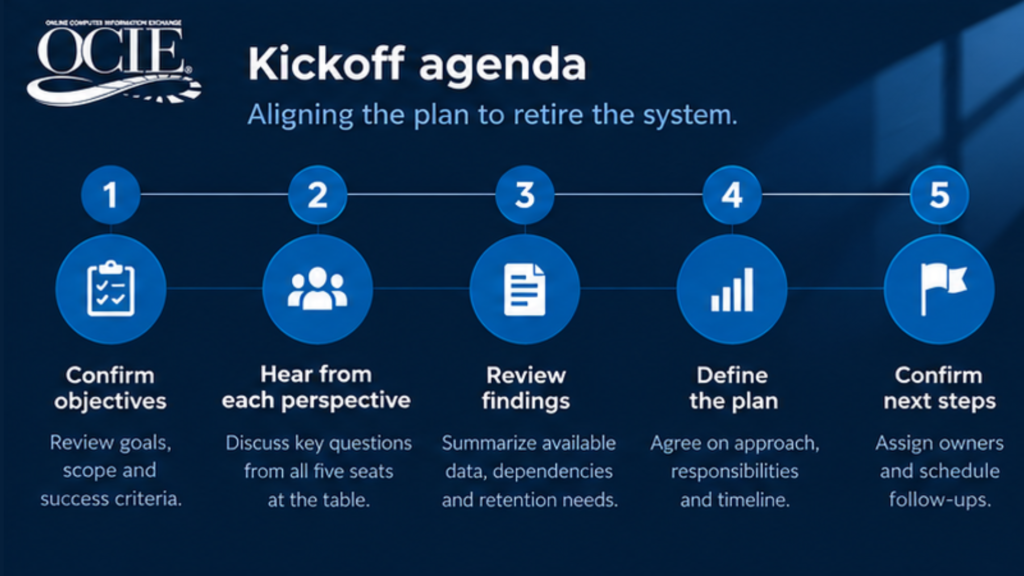
Once the right stakeholders are identified, the next step is bringing their perspectives together to establish a practical retirement plan.
A productive kickoff meeting should address five priorities:
- Confirm the scope. Identify which systems are being retired, their dependencies, and any critical deadlines.
- Identify technical risks. Document hidden processes, custom configurations, system integrations, and potential obstacles.
- Define information access needs. Determine which reports and records must remain available and how users need to retrieve them.
- Establish compliance requirements. Confirm retention periods, access restrictions, audit requirements, and any legal holds.
- Evaluate costs and next steps. Compare current maintenance expenses with retirement and archival costs, identify decision-makers, and assign responsibilities.
The goal is not to finalize every technical detail in one meeting. It is to leave with a shared understanding of the requirements, unresolved questions, and next steps.
OCIE has sat in this meeting many times, including for the NAVSEA travel system retirements. We often join the first conversation to answer the questions each seat brings, so your team can decide with the full picture. Learn more about our legacy system decommissioning approach.
Frequently Asked Questions
Who should be involved in a legacy system retirement?
There should be five roles involved in a legacy system retirement project: the IT leader who owns the project, the person who knows the old system, the business users who need access to historical information, compliance and legal, and whoever approves the budget. If an outside contractor or consulting firm is running a larger modernization initiative, include their project lead as well.
When should compliance get involved in retiring a legacy system?
Compliance should be involved at the project kickoff. Retention periods, access rules, and legal holds shape how the archive is set up. Bringing compliance in on day one turns their questions into requirements for the archive.
What if the person who knew the old system has already left?
Losing the system expert can make retirement more challenging, but it doesn’t prevent the project from moving forward. OCIE’s archival approach captures the reports and documents that the system already produces and doesn’t require a full data migration of the underlying application. Business owners can help identify which system outputs must remain accessible, while IT evaluates the technical requirements.
How do you build a business case for legacy system retirement?
Start with what the old system costs each year to keep running for lookups: licensing, infrastructure, support, and staff time. Set that beside the cost of archiving the records and switching the system off. One clear annual number gives a finance leader something concrete to approve.
Will our business users have to learn a new system?
Users may need to learn a new interface, but the transition can be simplified by organizing archived information around familiar search criteria, such as loan number, account, or date. Automated report delivery may also reduce the need for manual searches.
| Talk Through Your Legacy System Retirement Plan
If you have a system to retire and are still working out who needs to weigh in, a short conversation can help you map it. We’ll walk through your systems and records and help you decide who belongs in the plan. Contact the OCIE team or read what long-term clients say in our customer testimonials. |