The new system is live and your team has moved on. Somewhere in the server room, though, the old one is still running because it still holds information that didn’t migrate to the new system. For example, healthcare providers access historical patient medical records, and legal may need documents from 2014 “someday.” Shutting it off is risky, so it stays on.
That hesitation makes sense. Records left behind in a system keep their value long after the new system is in production. Before you retire a legacy system, a handful of questions will show you what has to be kept and how to keep it within reach for as long as you need it.
OCIE has helped regulated organizations retire aging systems for 37 years. These are the ten questions we work through with every client before anything gets switched off.
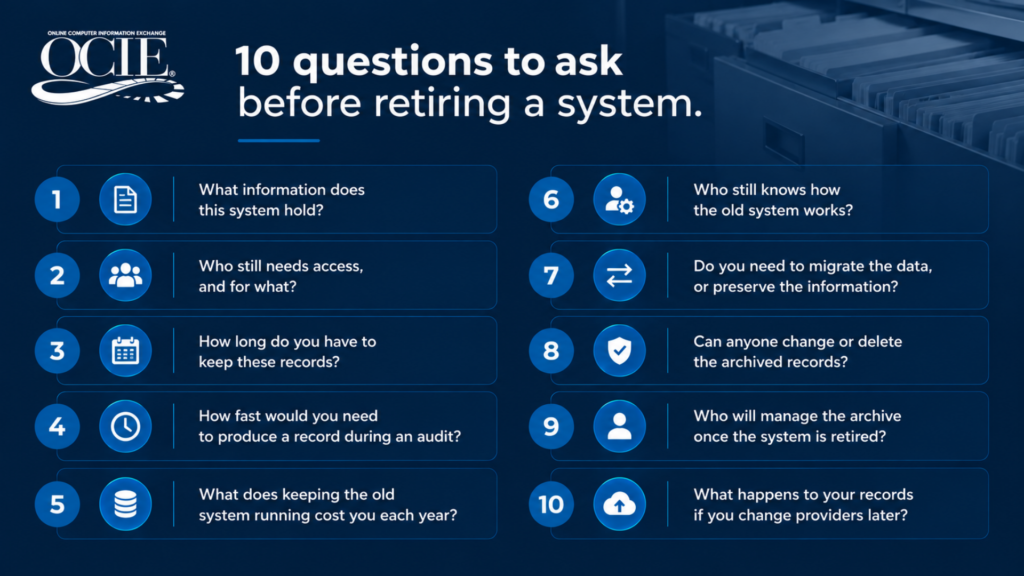
1. What information does this system hold?
When you retire a legacy system, everything starts with an inventory of what it produces. For example, healthcare legacy systems generate outputs such as detailed patient billing reports, clinical visit summaries and patient pathology reports. In addition, the system holds scanned remittance documents and PDFs tied to a patient account number.
Note how often each output ran and how far back it goes. This list becomes the blueprint for the rest of the project, and it usually turns up a report or two nobody remembered the system was creating.
2. Who still needs access, and for what?
The new system is in production, but the need to access historical information tends to grow. Business analysts and AI training models find value in historical financial and patient data. Compliance teams may need documents to satisfy examiner requests. When a subpoena arrives, legal needs the history, too.
Identify each group and what they tend to look up most often. A healthcare adviser searching for a patient’s lab report from 2017 searches differently than your legal team looking for all pathology reports for a specific date range. The archive should be indexed for both.
3. How long do you have to keep these records?
Retention rules can stack up from more than one source. State regulations will set certain timelines, and your contracts or internal records policy may add longer ones. Federal agencies follow the National Archives’ General Records Schedules.
Write down the longest period that applies to each output. That number tells you whether you need a five-year plan or a permanent one. OCIE keeps information for as long as you choose, and storing more of it never adds storage fees.
4. How fast would you need to produce a record during an audit?
Here is a common scenario: the request lands on your desk on a Tuesday afternoon. An examiner wants every pathology report for one procedure code but the bulk of that information resides in the legacy system, and they want it by Friday. Could your team pull that from the old system today? Could they do it once the system is gone?
In OCIE, your team can search by date or patient account number and have a years-old report open in seconds, ready to export for the auditor. When someone needs specific fields pulled into a spreadsheet, DataDigger extracts the data without click charges.
5. What does keeping the old system running cost you each year?
Licenses and support contracts are the obvious line items. Hosting and security patches add more, and so do the IT hours spent on a system that almost no one logs into. Some organizations also keep a contractor on payroll because they’re the remaining person who understands the application.
Most teams have never seen these costs on paper. In our experience, it’s often the piece that moves the conversation with leadership forward. The federal government wrestles with the same question at a much larger scale, and the GAO has reported on the risks agencies take on by running aging critical systems.
6. Who still knows how the old system works?
Legacy systems often depend on one or two people who know where the reports live and what the codes mean. If that person retires or changes jobs, their knowledge leaves with them.
Include them in the process from the beginning. Ask them to walk through each output and flag anything atypical that they may just have in memory, like a field that changed meaning in 2012 or a report that only runs at year-end. Their notes make the archive easier for everyone who uses it later.
7. Do you need to migrate the data, or preserve the information?
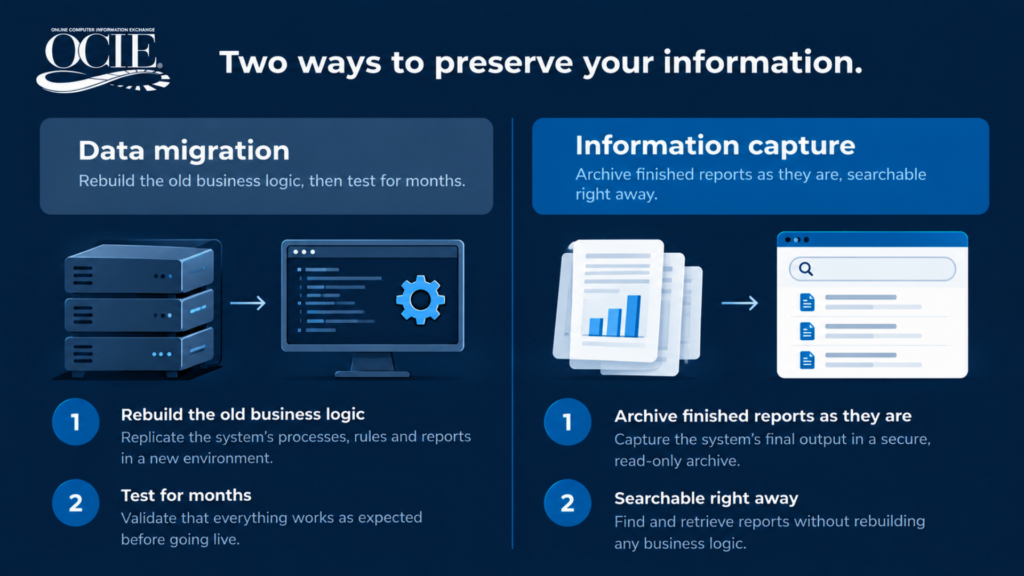
Data migration means mapping the old database into a new one, then rebuilding the business logic that turned raw data into the reports people relied on. That work takes deep knowledge of the old system plus months of testing, which is a big reason database migrations go over budget.
Your legacy system already applied its business logic every time it produced a report. OCIE captures those reports and documents in their finished state and stores them in a secure, searchable archive. Nothing has to be rebuilt, and every record looks exactly as it did the day the system created it. Bringing legacy information into OCIE is a one-time fee.
8. Can anyone change or delete the archived records?
An archive earns trust through its controls. Ask who can see each record and whether anyone can change it after it’s stored.
In OCIE, every record is locked the moment it’s archived, so nobody can alter or delete it. Permissions control who sees what, and a full audit trail tracks activity across the archive. Auditors ask about these details, and they’re much easier to answer when the protections are built into the platform. See how this supports audit readiness.
9. Who will manage the archive once the system is retired?
When you retire a legacy system, your IT team shouldn’t inherit a new one to maintain. Ask who will host and back up the archive, and who answers the phone when someone has a question or needs to find something.
OCIE is fully managed. We host the archive and run daily backups, and when your team emails us, they hear back in 10 to 15 minutes.
10. What happens to your records if you change providers later?
Ask this one before you retire a legacy system and sign with any archive provider. Some archives make it easy to get information in and hard to get it out.
If you ever decide to leave OCIE, your information comes back to you in the same format you gave it to us. Your records stay yours.
Putting your answers to work
Once you’ve worked through these questions, you have the bones of a retirement plan built around what your teams need and how long they need it. We start from the same place with regulated organizations from healthcare to accounting, and it’s how we retired the NAVSEA legacy travel systems for the U.S. Navy. To see how the process works, visit Retire a Legacy System.
Frequently Asked Questions
How do you retire a legacy system without migrating the data?
OCIE skips data migration entirely. We capture the finished reports and documents the system already produces and stores them in a secure, searchable archive. The old system’s business logic is already built into those reports, so nothing needs to be mapped or rebuilt.
How long should we keep records from a retired system?
Keep each record for the longest retention period that applies to it. OCIE can hold your information permanently with no added storage fees, so you can set the timeline your obligations call for.
Can we still search old records after the system is shut off?
Yes. Your team can search by date or account number and open reports in seconds. DataDigger can also pull specific fields into a spreadsheet for other reporting.
What’s the difference between application retirement and sunsetting?
They describe the same goal: shutting down an old system while keeping the information people still need. Different industries prefer different terms, and our plain-language glossary walks through them.
Does our IT team have to maintain the archive?
OCIE runs the archive as a fully managed service, from hosting to support. Your IT team stays focused on the systems your business runs on today.
| Have a system you’re ready to retire?
Talk it through with our team. We’ll help you understand your options and figure out whether this approach makes sense for your situation. |