An examiner asks for a detailed non-conformance report from ten years ago. Your team knows it exists. Someone ran it, someone saved it, and it went somewhere. So the answer that comes back is a familiar one: “We have it somewhere.”
That answer feels safe in the moment. It isn’t. Being audit-ready means you can produce that record on request, show who has touched it, and prove it hasn’t changed since the day it was created. “Somewhere” means a search party.
This post walks through the gap between those two states, where that gap costs you, and what it takes to close it before the next request lands.
What “We Have It Somewhere” Sounds Like Inside a Team
It rarely means the record is lost. It usually means the record is in one of several places.
Historical reports sit in the legacy application. A PDF lives on a shared drive. An export got saved to someone’s desktop before a system change. And there’s an archive a former employee set up years ago that nobody else has the login for.
Each of those places made sense when it was created. The trouble starts when an audit request needs a complete picture of one event or account, and that picture is spread across systems built by different people at different times.
“Somewhere” also tends to hide a second problem. Even when the file turns up, can you show it’s the original or authoritative source document? If a spreadsheet was opened, edited, and saved again two years ago, the version you hand an examiner may not match what existed when the action happened.
Finding the record is half the job. Proving its integrity is the other half.
What Being Audit-Ready Looks Like in Practice
Audit readiness is a state you’re already in when the notice arrives. You can’t build it in the two weeks between the request and the deadline.
In practice, an audit-ready organization can answer yes to four questions about any record in scope:
- Can we find it in minutes?
- Can we show it hasn’t been altered since it was created?
- Can we show who accessed it, and when?
- Can we prove it was kept as long as policy requires and not deleted early?
If the answer to any of those is “probably,” you’re closer to “somewhere” than you’d like.
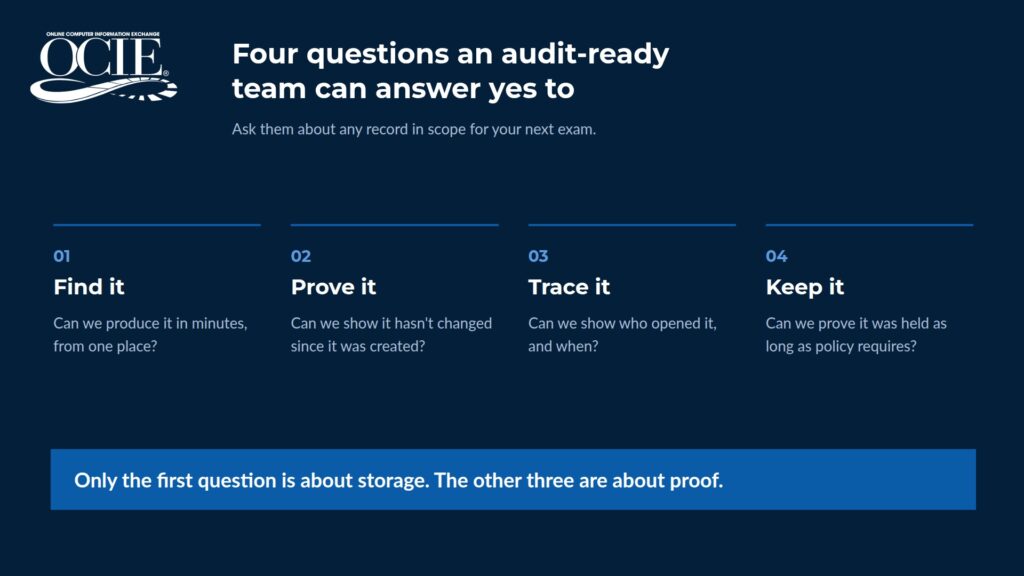
Notice that only the first question is about storage. The other three are about proof. That’s the shift most teams miss. Having the file is table stakes. Being able to stand behind it is what an examiner is testing.
Where the Difference Costs You
The cost of “somewhere” doesn’t show up as a line item. It shows up in four places.
Staff time pulled off the work
When records are scattered, an audit request turns into a project. Compliance pulls in the Quality department. Quality pulls in IT. The person who remembers where the old exports went gets pulled in too. Every hour spent hunting is an hour that person isn’t doing the job they were hired for.
Findings that point at your process
For regulated companies, such as aerospace and defense manufacturers, access to records is written into the rule. Regulation X requires manufacturers to keep records documenting component traceability or material certifications. It also requires core manufacturing documents to be maintained in a way that ensures documents are compiled within days, not weeks.
Most regulated industries state that records can be kept electronically, as long as the method reproduces them accurately and keeps them easy to access. Easy access is the part “somewhere” struggles with. A record that takes a week to assemble from four systems was technically kept. Whether it was easy to access is a different conversation, and not one you want to have during an exam.
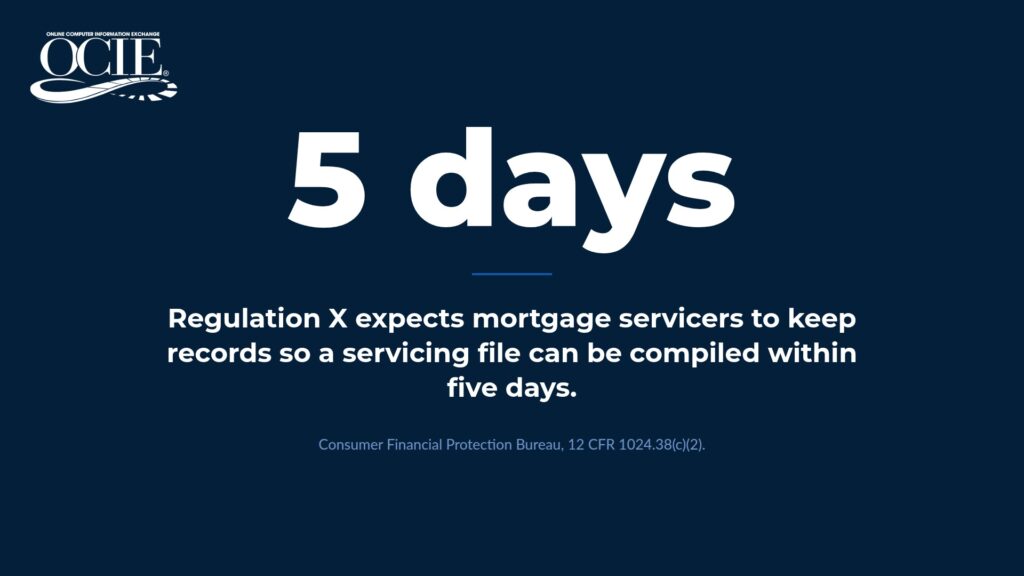
Aerospace and defense manufacturing is one example. Healthcare organizations, banks, and government contractors each answer to their own retention and access rules. The details differ. The pattern holds: regulators expect records to be complete, accurate, and available when asked.
Records you can’t fully stand behind
A document that could have been edited after the fact carries less weight as evidence. Even if nobody changed it, you may not be able to prove that. Integrity questions slow audits down and invite follow-up requests.
Paying to keep old systems alive
Many organizations keep a legacy platform running for one reason: it still holds information that didn’t migrate to the new system. That means ongoing licensing, maintenance, and dependence on the one or two people who still know how to pull reports from it. If that sounds familiar, it’s worth looking at what retiring a legacy system looks like when the records stay accessible after the system goes dark.
If your team has been through a scramble like this, a 30-minute walkthrough can show you what the same request looks like when the record is already there. Get a demo with your own data and requirements.
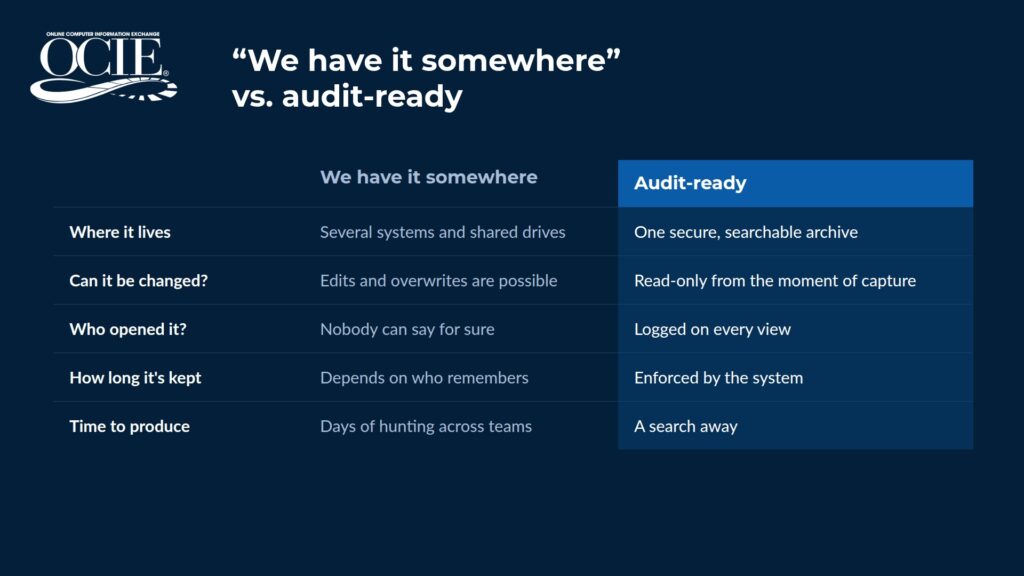
Four Gaps Between “Somewhere” and Audit-Ready Document Management
Most compliance scrambles trace back to the same four gaps. Each one is fixable, and each one compounds the others when left alone.
Records are scattered
Reports live in one system, documents in another, and archived data sits wherever it was last saved. For companies running on a mainframe platform, the volume of system-generated output makes this worse. If your team is still exporting and filing reports by hand, every new report adds another place to check.
Scattered records also make it hard to see the whole account at once. An examiner rarely wants one document. They want the transaction history, the notes, and the correspondence that explain what happened and why.
Retention isn’t enforced
A written retention schedule is a policy. Without a system that holds records for the defined period and blocks early deletion, you’re trusting memory and good intentions to do the job of infrastructure. Records get purged too early or kept long past the date they should have been destroyed.
There’s no reliable trail
When you can’t show who opened a record, when, and what happened to it, you can’t prove its integrity. During an audit, that access history is evidence in its own right. Without it, you’re asking an examiner to take your word for it.
The data can be changed
If a record can be edited or deleted after it’s created, its value as evidence drops. This is the gap that turns a routine request into a long one. Read more about how tamper-proof retention works when records are written once and never overwritten.
How to Prepare for a Regulatory Audit Before It’s Scheduled
You don’t need a notice to find out where you stand. A compliance or operations leader can run this check in an afternoon.
- Pick five records from different years and different systems. Include at least one from a platform you no longer use day to day.
- Time how long it takes to produce each one. Note who had to help.
- For each record, ask whether you can show it’s unaltered since creation. A file’s “last modified” date doesn’t count as proof.
- List every place records currently live. Shared drives and personal folders count.
- Compare your written retention schedule to what your systems enforce. Look for gaps where deletion depends on a person remembering.
- Check who can access sensitive records today. Then check whether anyone could tell you who accessed them last month.
The results tell you which of the four gaps is costing you the most. For most teams, it’s more than one. Write down what you find, including the retrieval times. That baseline gives you something concrete to bring to leadership when you make the case for fixing it.
How OCIE Keeps Records Audit-Ready by Default
OCIE was built for regulated organizations that need the answer to “can you produce that?” to always be yes. The compliance capabilities are built into how the platform works from day one.
Every report and document is captured in a secure, read-only format the moment it comes in. It can’t be altered, overwritten, or deleted by anyone outside policy. You set the retention period for each report type, including permanent, and OCIE enforces it. Nothing purges early.
Every action on a record is logged, so when an examiner asks who accessed a report, the answer is documented and retrievable. Multi-level security groups control exactly what each user can see. And authorized users find records through search, saved searches, and custom views, without hunting across systems.
OCIE is SOC 2 compliant and meets HIPAA requirements for access, audit, integrity, and transmission controls. That matters whether you’re among the mortgage servicers answering to the CFPB and investors, a team in financial services and banking, or one of the healthcare organizations managing patient and billing records.
It’s also fully managed. Your IT team doesn’t buy hardware, install software, or maintain the system. OCIE does that, which is part of why clients stay. After 37 years in regulated industries, OCIE holds 98% client retention.
See the full set of capabilities on the Get Audit-Ready page.
Frequently Asked Questions
How do you prevent records from being altered or deleted?
OCIE stores every record in a read-only, immutable format from the moment it’s captured. Records can’t be edited, moved, or deleted by anyone outside your defined retention policy. That’s what lets you show an examiner the record is the original.
Can a managed archive enforce our specific retention schedule?
Yes. With OCIE, you define the retention period for each report type, including permanent retention, and the platform enforces it automatically. Records stay for as long as the policy says and can’t be purged early.
What does an audit trail need to capture?
At minimum, it should show who took an action on a record, what they did, and when. OCIE logs every action on a report, and that history is retrievable on demand for examiners.
Who can see our records?
Only the users you authorize. OCIE’s multi-level security groups control access at the report, document, and view level, so sensitive records stay with the people who need them.
What does it take to become audit-ready if our records are spread across systems?
It starts with a conversation about your systems, your data, and what your team needs to produce. OCIE’s team configures the archive, connects your data sources, and gets you operational in weeks. If you’d like to talk through your situation first, talk to a compliance expert.
The Next Request Should Be a Search
The next time an examiner asks for a record from six years ago, your team should be able to search, open it, and hand it over with the access history attached. Nobody has to call a former employee to ask where the old exports went.
| See What Audit-Ready Looks Like With Your Data
If that isn’t how it works today, book a demo and see what it looks like with your own data. Most demos take 30 minutes. |